Yellow Warning Triangle on Your C: Drive
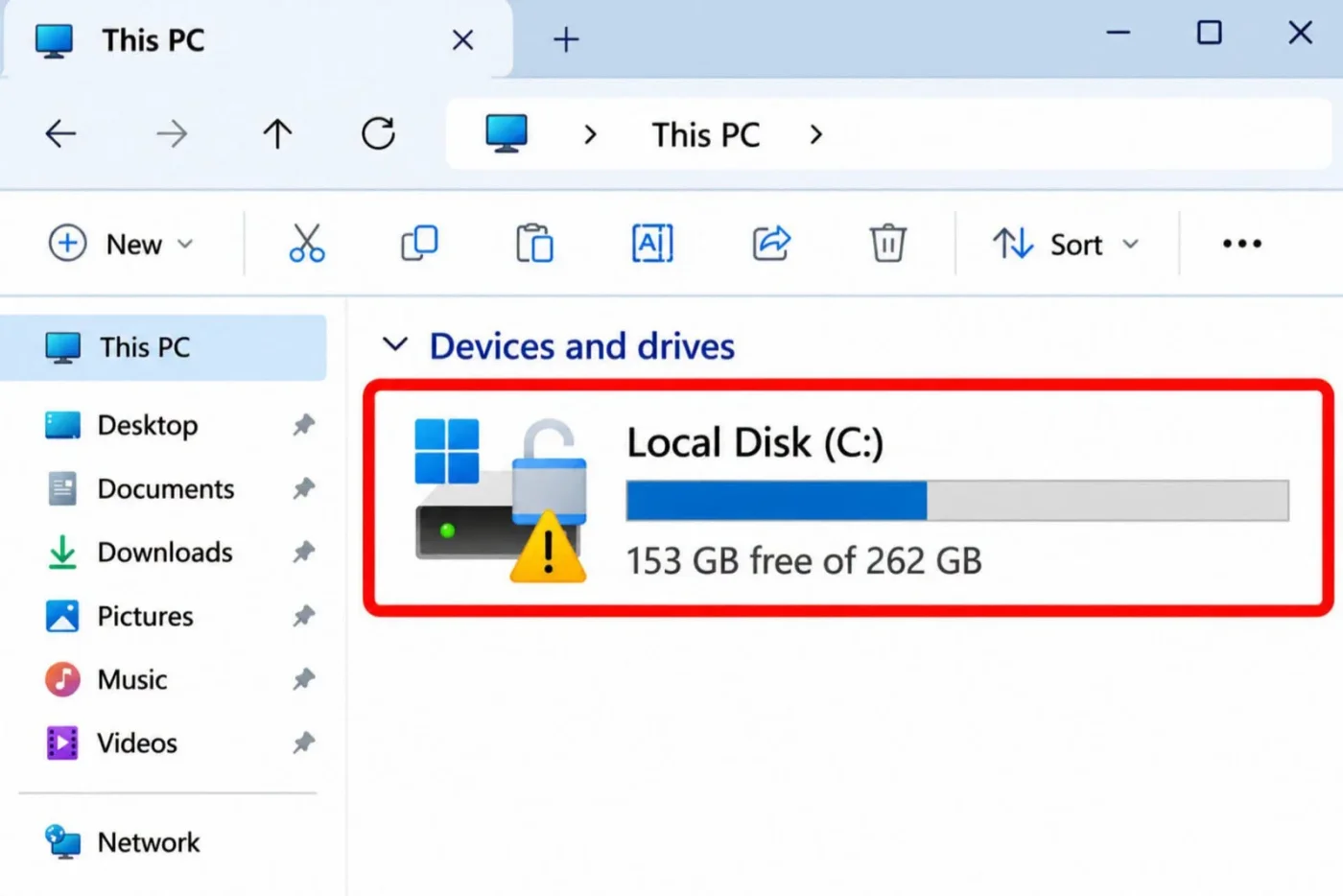
⚠️ Yellow Warning Triangle on Your C: Drive?
If you see a yellow warning symbol on your drive icon, it's usually related to BitLocker protection being suspended, pending action, or a drive security issue.
🔧 Detailed Troubleshooting Steps
1️⃣ Check BitLocker Status
• Open Command Prompt as Administrator
• Run:
manage-bde -status
2️⃣ Resume BitLocker Protection
If Protection Status shows "Suspended":
manage-bde -protectors -enable C:
3️⃣ Verify TPM Status
• Press Win + R
• Type:
tpm.msc
• Ensure TPM is ready for use
4️⃣ Scan for Drive Errors
• Open Command Prompt as Administrator
• Run:
chkdsk C: /scan
5️⃣ Check Windows Security
• Open Windows Security
• Device Security
• Ensure Security Processor (TPM) has no warnings
6️⃣ Install Pending Updates
• Settings → Windows Update
• Install all available updates
• Restart the PC
7️⃣ Check Event Viewer
• Open Event Viewer
• Windows Logs → System
• Look for BitLocker, Disk, or TPM warnings
8️⃣ Restart and Verify
• Reboot the system
• Check if the warning icon disappears
💡 If the warning remains, run:
manage-bde -status C:
and review the Protection Status, Conversion Status, and Lock Status for further diagnosis.
#Windows11 #BitLocker #WindowsSecurity #DriveEncryption #PCRepair

Log in to like, dislike, or reply.
Replies 0
No comments yet
Log in to leave a comment.